
What an Always-On AI Agent Actually Needs from a Single-Board Computer
Published by Sowmya Sappidi, Anish Khatri on 3rd Aug 2026
Disclosure: Evelta is an authorized Radxa distributor and also stocks Raspberry Pi boards. Recommendations are based on technical fit.
An always-on AI agent sounds like a computer running artificial intelligence at full speed, every second of the day. That picture is what leads people to choose a board for its AI accelerator, then find the accelerator idle for twenty-three and a half hours a day while the things that actually break are storage, thermals, and a service that never came back after a power cut.
Here is what runs continuously: a piece of software that sits and waits. It waits for a message, a scheduled time, a sensor reading, or a signal from another service. The AI model gets called only when the task in front of it needs reasoning, generation, classification, or recognition. For most agents, that adds up to a few minutes a day.
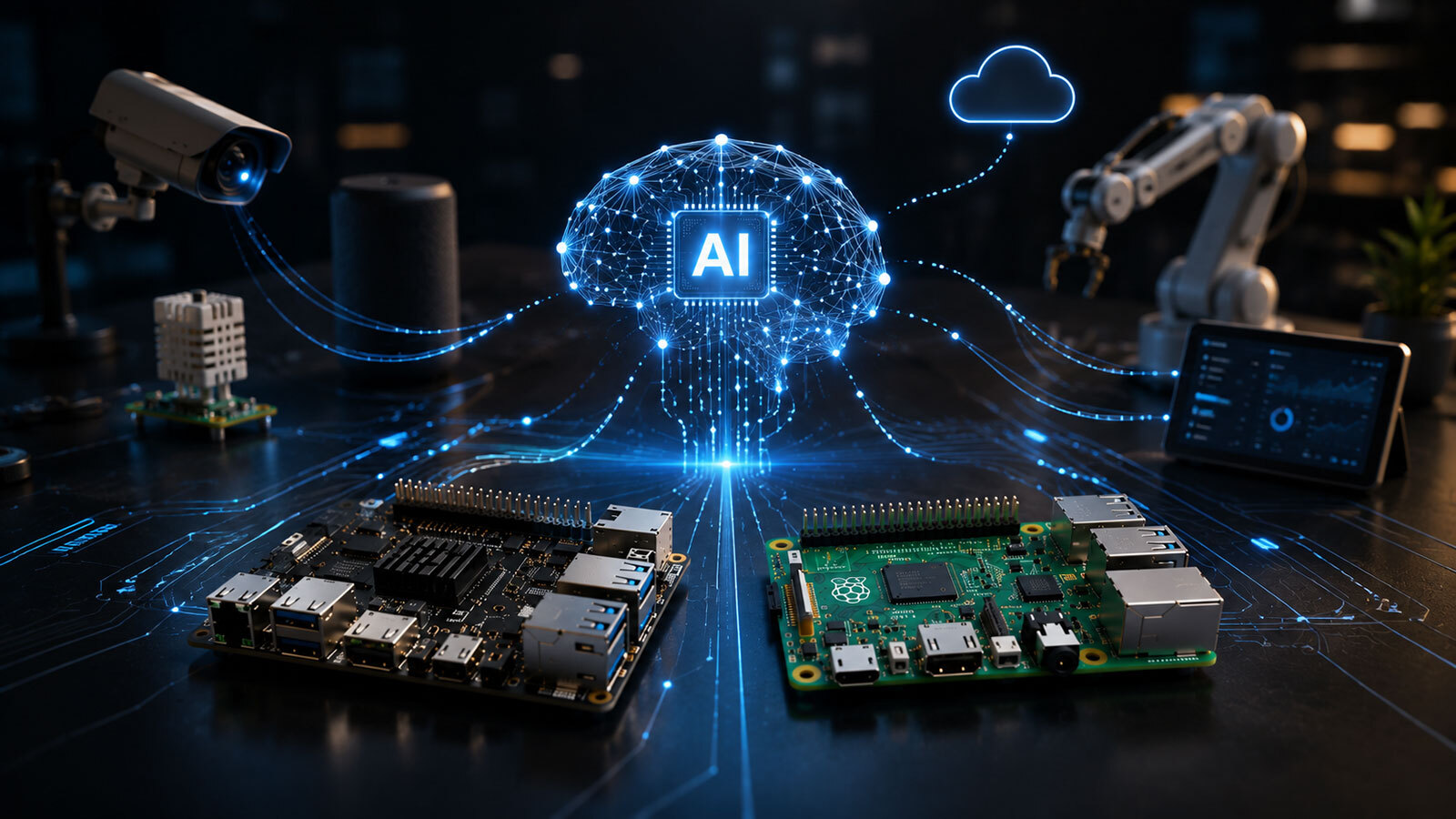
Picture a personal assistant on a single-board computer sitting on a shelf in your home. Each morning it sends a briefing over WhatsApp. During the day it answers questions. In the background it keeps track of your schedule, your preferences, and whatever context it has picked up along the way. Depending on how you build it, the thinking part of that assistant might happen in the cloud, on the board's own processor, or on a dedicated AI chip attached to the board. This assistant runs through the whole series as a working example.
New to this? What is an SBC?
A single-board computer, or SBC, is a complete computer built onto one compact circuit board: processor, memory, storage connections, networking, and input and output ports, all in one piece. Raspberry Pi and Radxa ROCK boards are two well-known families. This article uses "SBC" and "board" interchangeably.
That brings us to the question this series is built around:
Does the workload need on-device inference? If it does, which path best fits the model, software support, memory, thermals, power, and cost?
This is the main branch in the decision, though it is rarely the last one.
What Makes an AI Agent "Always-On"
An AI agent is a software system that receives messages or events, keeps track of state or memory, uses tools and integrations, calls an AI model when it needs one, and produces an action, an answer, or a notification.
The model is one component among many. A working agent also needs a scheduler, a database, connections to whatever services it talks to, logging, and something watching the whole arrangement to restart it when it stops. In the shelf assistant, the scheduler starts the morning briefing, the database holds your preferences, and WhatsApp delivers the result. The AI model runs only while the briefing is being written, then goes quiet again.
So "always-on" describes service availability, not constant computation. The system stays ready to accept work, notice events, and recover from failures, whether or not a model is running.
Persistent Service and AI Inference Are Different Workloads
An always-on agent contains two workloads that should be sized and evaluated separately.
| Workload | Main role | Typical activity |
|---|---|---|
| Persistent service | Keeps the agent available and organized | Runs continuously |
| AI inference | Uses a trained model to process an input | Runs when triggered, or continuously in perception workloads |
Collapsing these into a single "AI workload" is the most common way hardware selection goes wrong. A board can be excellent at one and mediocre at the other, and the specification sheet tends to advertise the second while the first determines whether your device is still working in March.
Workload Axis One: The Persistent Agent Service
The agent is, first and foremost, a service that spends most of its life listening, coordinating, and waiting. Even if it sends three notifications a day, the software underneath has to stay up and keep several jobs running at once.
- Process supervision and orchestration: Keep services running, sequence tasks in the right order, and control which actions the agent is allowed to take. Process supervision means software that watches your agent and restarts it if it stops.
- Scheduling and event handling: Track time-based jobs and react to messages, webhooks, new files, or sensor events. A webhook is an automatic message another service sends your device when something happens.
- State and memory: Hold task status, conversation history, configuration, and, where the design calls for it, searchable representations of documents so the agent can look things up later.
- Tool access and integrations: Connect to messaging platforms, calendars, databases, APIs, and long-lived network connections.
- Logging, retry, recovery, and health monitoring: Record failures, retry temporary errors, check that dependencies are reachable, and restart processes that stop responding.
This layer runs on operating system stability, dependable networking, spare RAM, and predictable storage. Heavy parallel math barely enters into it.
Both Raspberry Pi and Radxa boards are plausible hosts for this layer. Whether they behave equivalently in day-to-day operation has not been established, and this series does not assume it. Operating system maturity, package availability, storage behavior, I/O, networking, camera integration, recovery after failure, deployment tooling, and how long the board stays in production can all decide the choice, even when the inference requirements are light. Post 4 tests part of this directly.
Workload Axis Two: How Often Does Inference Run
Duty cycle describes how much of the time a processor or accelerator is actively working. An agent's inference workload usually falls into one of three patterns.
| Inference pattern | Description | Example |
|---|---|---|
| Intermittent | Runs occasionally, on a schedule or on demand | One morning briefing each day |
| Event-triggered | Starts when something specific happens | An incoming message, a webhook, a sensor crossing a threshold, or a new document |
| Continuous | Repeatedly processes a live stream | Video or audio analyzed frame by frame |
The line between the second and third rows is where most estimates go astray. Reading a sensor value every ten minutes is event-triggered, not continuous, even though it happens around the clock. Answering user questions is event-triggered too, because each run waits for someone to send something. Only a model kept busy on an ongoing stream belongs in the third row, and that distinction can change your hardware budget by an order of magnitude.
Duty cycle drives power draw, cooling requirements, and whether an accelerator earns its cost. A model that runs for twenty seconds each morning will be perfectly happy on a CPU or a cloud API. A model watching a camera feed all day is a different engineering problem, and it usually needs both dedicated acceleration and a serious thermal plan.
Workload Axis Three: Where Will Inference Run
Where the computation happens matters as much as how often. There are five practical options, compared properly in Post 2.
- Cloud API: The board runs the agent service and sends requests to a model hosted elsewhere, while still handling light local work such as wake-word detection or image resizing. Since the heavy computation happens somewhere else, the board can often skip an AI accelerator entirely.
- On-device CPU: The board's main processor cores run the model. This suits small, well-optimized models at modest speed, and it avoids buying extra hardware. Sustained CPU inference still draws real power and produces real heat, sometimes more of both than an accelerator doing the same job.
- Integrated NPU: Some processors include a neural processing unit built into the same chip as the CPU. It can be considerably faster and more efficient for supported work, provided the model, its numeric precision, its operations, and the software runtime are all compatible with that specific NPU.
- Add-on accelerator: A separate module attached to the board, such as an AI HAT or an M.2 accelerator card, adds inference capability while leaving the host processor alone. It brings its own cost, power draw, heat, and space requirement, and it can often be upgraded independently of the board.
- Hybrid: The device handles filtering, detection, or retrieval locally, and calls a cloud model when a task needs deeper reasoning or longer generation.
Running a model on the device can improve privacy, because the raw input stays on your hardware. It does not guarantee privacy, since the rest of the system may still send data, metadata, or telemetry to external services.
New to this? What is an NPU?
A neural processing unit is a processor built specifically to speed up neural network calculations. Getting a model onto one takes a conversion step, using tools supplied by the chip vendor,1 and not every model survives that conversion intact.
Architecture and Workload Are Not the Same Thing
Architecture describes how the computer is put together. Workload describes what the computer has to do. Mixing them up produces comparisons that sound rigorous and answer the wrong question.
Post 2 covers three hardware paths: host-only, using either cloud inference or CPU-only inference; integrated NPU; and add-on accelerator.
Those are architectures. They are not workload categories, and any of them can host any of the workloads described below. A continuous camera agent could be built on an integrated NPU or on an add-on accelerator. A personal assistant could use a cloud model, the local CPU, an NPU, or a hybrid of these. Starting from the workload is what keeps this series from collapsing into a Radxa versus Raspberry Pi argument.
Four Workload Classes Used Across the Series
These four classes give the rest of the series a consistent way to compare systems. Post 5 works through each one in detail.
Cloud-Connected Assistant with a Light Local Load
The agent service runs on the board while the main model is reached through a cloud API. The shelf assistant fits here: it gathers calendar entries and notes, sends the relevant context to a cloud model, and delivers the briefing over WhatsApp. The board handles scheduling, messaging, state, storage, permissions, and integrations, so reliable networking, adequate RAM, durable storage, and automatic recovery matter far more than an NPU. Many agents stay in this class permanently.
Local Generative Assistant
This class runs a language model, or a model that handles both text and images, directly on the device. That keeps the agent working during an internet outage and reduces how much data leaves your hardware, at the cost of more RAM, storage, memory bandwidth, and sustained compute performance. The operating system, model runtime, model weights, agent services, and application data all have to fit in the available memory and storage at the same time.
Quantization helps here. It stores the model's numbers in a lower-precision format, such as INT8 or INT4, which shrinks the model and speeds it up. The cost is some loss of accuracy or output quality, and the size of that cost depends on the specific model and runtime.
Continuous Perception Agent
This class processes a steady camera or audio stream for object detection, visual inspection, occupancy monitoring, speech detection, or sound recognition. Inference may run many times per second, which makes accelerator compatibility, cooling, power delivery, memory bandwidth, camera and audio interfaces, and end-to-end latency decisive in a way they are for none of the other three classes.
Data-Intensive Retrieval or Media Agent
This class indexes documents, searches files, produces summaries, manages large knowledge collections, or processes media, sometimes alongside network-attached storage. Storage speed, capacity, write endurance, database reliability, backup strategy, and network throughput can all outweigh peak AI performance. The workload is often quiet for long stretches and then spikes when a batch of new documents arrives. Inference itself can happen on-device, on a server, in the cloud, or across a hybrid design.
The Requirements That Apply to Every Agent
Whichever class the workload falls into, these apply. The first three are where most home and small-deployment agents actually fail.
The three scenarios below are illustrative rather than measured. They describe how these deployments commonly break, and the figures are chosen to show the shape of the problem, not to report test results.
1. Recovery and Service Reliability
The system has to come back on its own after a reboot, a crashed process, a power cut, or a dropped network connection. Services should start automatically at boot, failed processes should restart, and health checks should catch problems before you do.
A representative failure: during setup you start the agent by hand to test it, everything works, and you move on. Two months later the power flickers at three in the morning. The board reboots cleanly and the operating system comes up, but the agent stays dark, because it was never enabled to start at boot. You find out four days later when you notice the briefings stopped. Logs need enough detail to tell you which of those four days mattered.
2. Sustained Thermal Behavior
A short benchmark shows what a board can do in a burst. It says very little about hour four.
A representative failure: a board that performs well on your desk in open air goes into a sealed enclosure on a shelf against a warm wall. Under sustained load the processor reduces its clock speed to stay within its temperature limit, which is called throttling.2 A briefing that took forty seconds on the desk might now take several minutes, with nothing in the software changed. Cooling has to be evaluated against the workload you intend to run, inside the enclosure you intend to use, at the ambient temperature the device will actually live in.
3. Storage Capacity and Endurance
Logs, database journals, model files, conversation history, and search indexes all generate frequent writes, and flash storage wears out with writes rather than with age. A large card with poor write endurance can fail before a smaller one rated for the workload.
A representative failure: a log file with no rotation grows quietly for months, the card fills or a worn cell fails, and the agent's database corrupts during the next unexpected power loss. Backups, log rotation, write endurance, and a recovery procedure you have actually tested all matter as much as capacity.
4. Idle and Peak Power
Idle draw matters because the device is powered on constantly, and small differences accumulate over months. Peak draw determines whether your power supply can handle the processor, storage, network interfaces, cameras, and accelerator all working at once.
5. RAM Headroom
Memory has to hold the whole stack simultaneously: operating system, agent framework, any containers, databases, monitoring services, the model runtime, and temporary caches. A container is a packaged, isolated environment that bundles software with its dependencies, and it is a common way to deploy agents. Size the board for everything that will be resident at three in the morning when nothing is happening.
6. Reliable Networking
After an interruption, the network should recover automatically, with nobody touching the device. On-device inference may keep working during an outage, while cloud messaging, remote storage, and external integrations will stop.
7. Software Maturity
Drivers, security updates, package availability, camera support, and deployment tooling decide how much of your time goes into platform troubleshooting. Immature tooling turns a weekend project into a month of chasing driver problems.
8. Product Lifecycle
How long the board stays in production, and how long it receives updates, decides whether a working prototype can become something you deploy more than once.
Hardware Decision Checklist
Work through this before shortlisting any board.
- What must run continuously?
- How often does inference happen?
- Where will the model run?
- What model and quantization are required?
- Does the selected runtime support them?
- How much system and accelerator memory is needed?
- What happens after a crash or power loss?
- What cooling is needed under sustained load?
- What are the idle and peak power requirements?
- What storage, networking, and I/O are required?
- How mature is the intended operating system and software stack?
- How long must the product remain available?
Starting instead from a brand, a processor clock speed, or a headline accelerator rating such as a TOPS figure, which is a theoretical measure of operations per second, risks selecting a board that looks powerful on paper and disappoints on the shelf. TOPS ratings are also quoted at a specific numeric precision,3 so two figures are only comparable once you know what each one was measured at.
Define the Workload Before Comparing Platforms
An always-on AI agent is a persistent software service that can call a model when it needs one. The service runs continuously. The inference may be intermittent, event-triggered, or continuous, and those are three different engineering problems with three different hardware answers.
Plenty of agents run well with no dedicated AI hardware at all. Others need it, because they call supported models frequently or because they handle a constant stream of camera, audio, or sensor input.
There is no board winner at this stage. The workload has to be defined first.
Post 2 examines the three practical deployment paths in detail: host-only, integrated NPU, and add-on accelerator. It compares their trade-offs across model support, privacy, latency, recurring cost, offline operation, power, part count, reliability, and upgrade path.
Sources
- Rockchip, RKNN-Toolkit2. Trained models are converted to Rockchip's RKNN format on a host PC before the board's NPU can run them. github.com/airockchip/rknn-toolkit2 ↩
- Raspberry Pi, Frequency management and thermal control. Arm cores are progressively throttled between 80°C and 85°C, with the temperature limit defined as 85°C. raspberrypi.com/documentation ↩
- Hailo, Hailo-8 datasheet. Peak accelerator performance is stated for INT8 precision. hailo.ai ↩